For removals, storage and transport businesses
One system to run your removals, storage and transport business.
From enquiry to delivery, billing and storage. Manage your customers, jobs, crews, vehicles and warehouse from one connected platform.
Scheduling
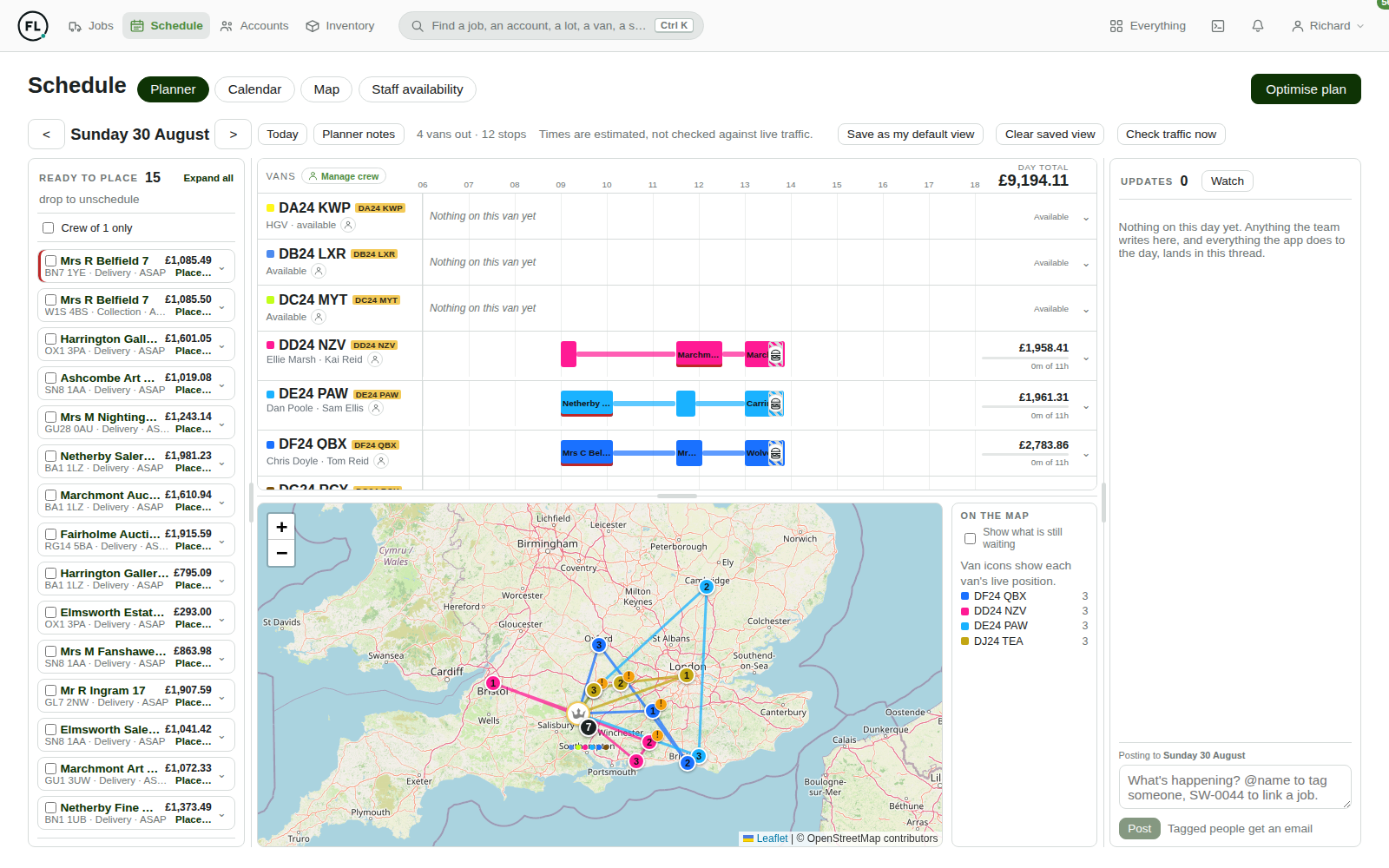
Plan your entire operation from one screen.
Put the day together in one place: what is going out, who is taking it, which vehicle, and what it is worth. Everyone sees the same plan the moment it changes.
- Assign work to a van and a crew by dragging it onto the day.
- Only offer people who are actually available, with time off and vehicles off the road already accounted for.
- See what a day is worth as you build it, per vehicle and across the whole operation.
- Check the routes on a map before anyone sets off, with travel times based on real traffic.
- Keep the whole team working from the latest information: the office, the warehouse and the driver's phone all read the same plan.
How it works
Follow every job from first enquiry to final payment.
Details are captured once and carried forward. The quote becomes the job, the job becomes the run, and the run becomes the invoice, without anyone retyping it into a second system.
- 1
Enquiry
A customer gets in touch. Their email is filed against their account automatically.
- 2
Quote
Priced from your own rates and sent as a link the customer accepts themselves.
- 3
Job
Acceptance opens the job, with the goods, addresses and paperwork already on it.
- 4
Schedule
Onto a van, a crew and a day, with the warehouse told what to pick and pack.
- 5
Complete
The crew work from their phone and finish with photographs and a signature.
- 6
Invoice
Raised in Xero from the job's own figures, so the bill matches the work.
- 7
Payment
Tracked back automatically, so you can see what is still owed and chase it.
Customers
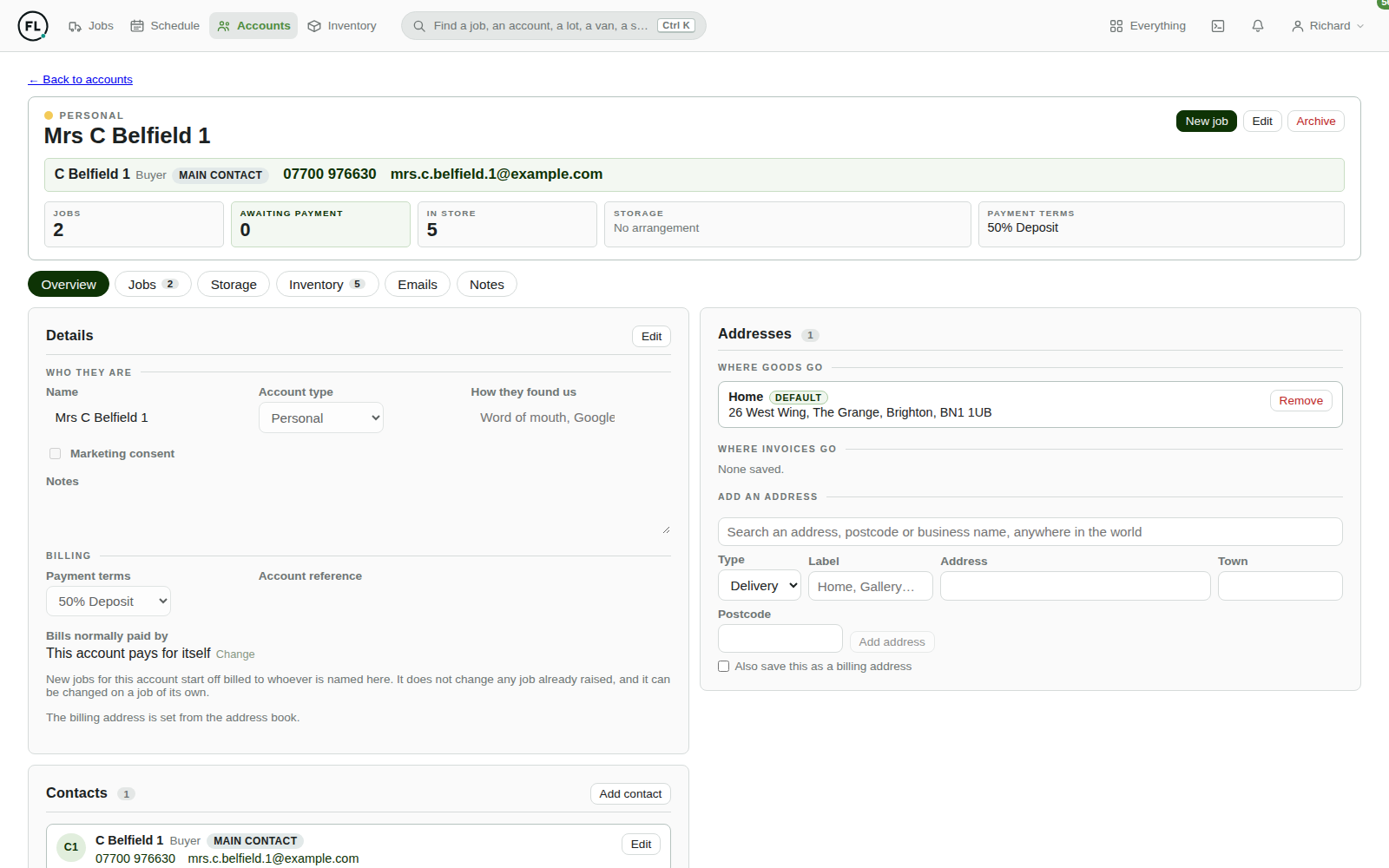
Everything you know about a customer, on one page.
Open an account and the whole relationship is there: what you have moved for them, what you are holding, what they have been quoted, and every email that has passed between you.
- Keep every customer address in one place, checked as it is typed so the crew are not sent to the wrong door.
- Write to the right person, with a contact list per account rather than a single email address.
- Read and answer email without leaving the record: your office mailboxes appear against the account they belong to.
- See the full history: jobs past and present, goods in store, quotes, documents and what is outstanding.
Warehouse
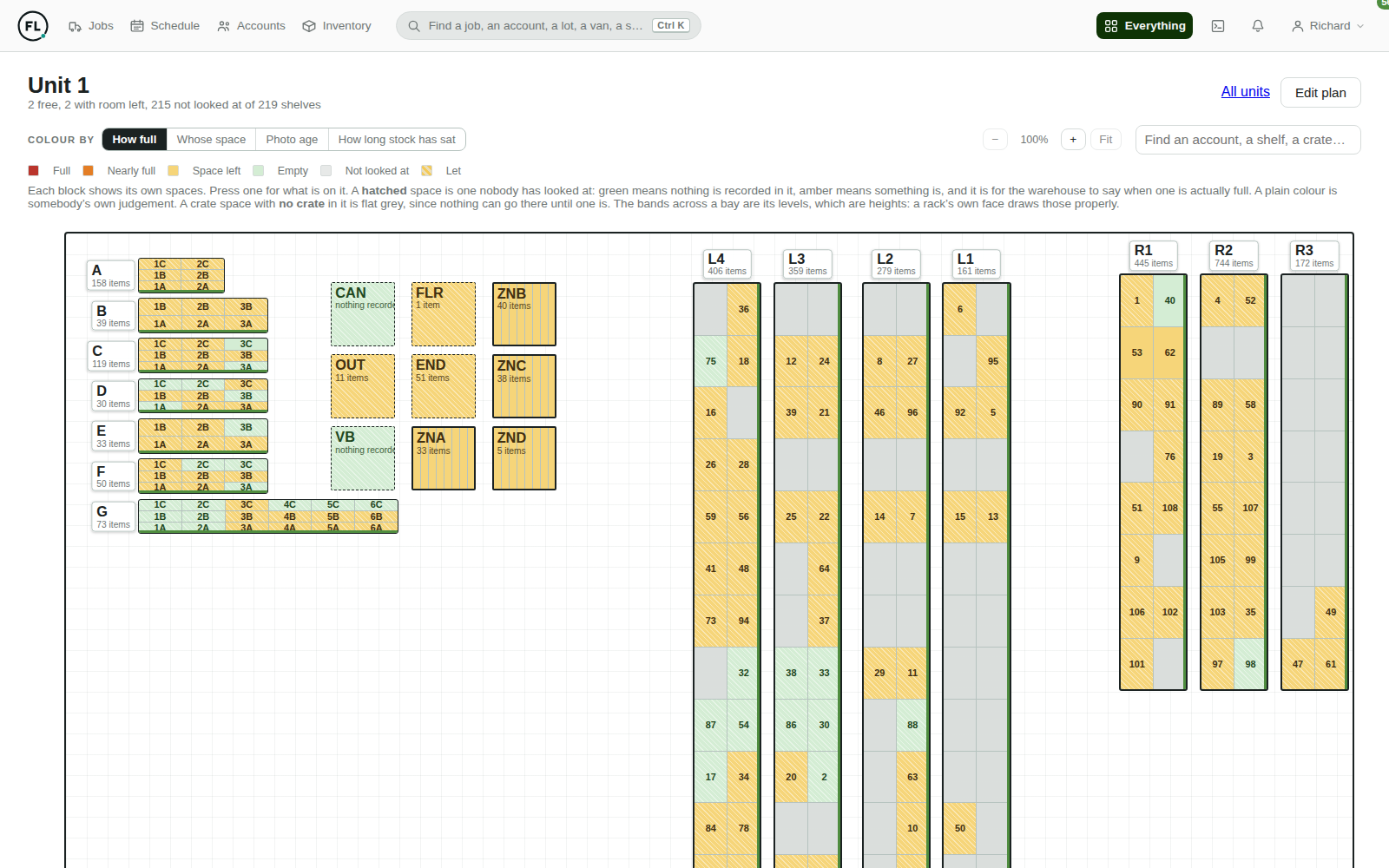
Know exactly what is in your warehouse, and where it is.
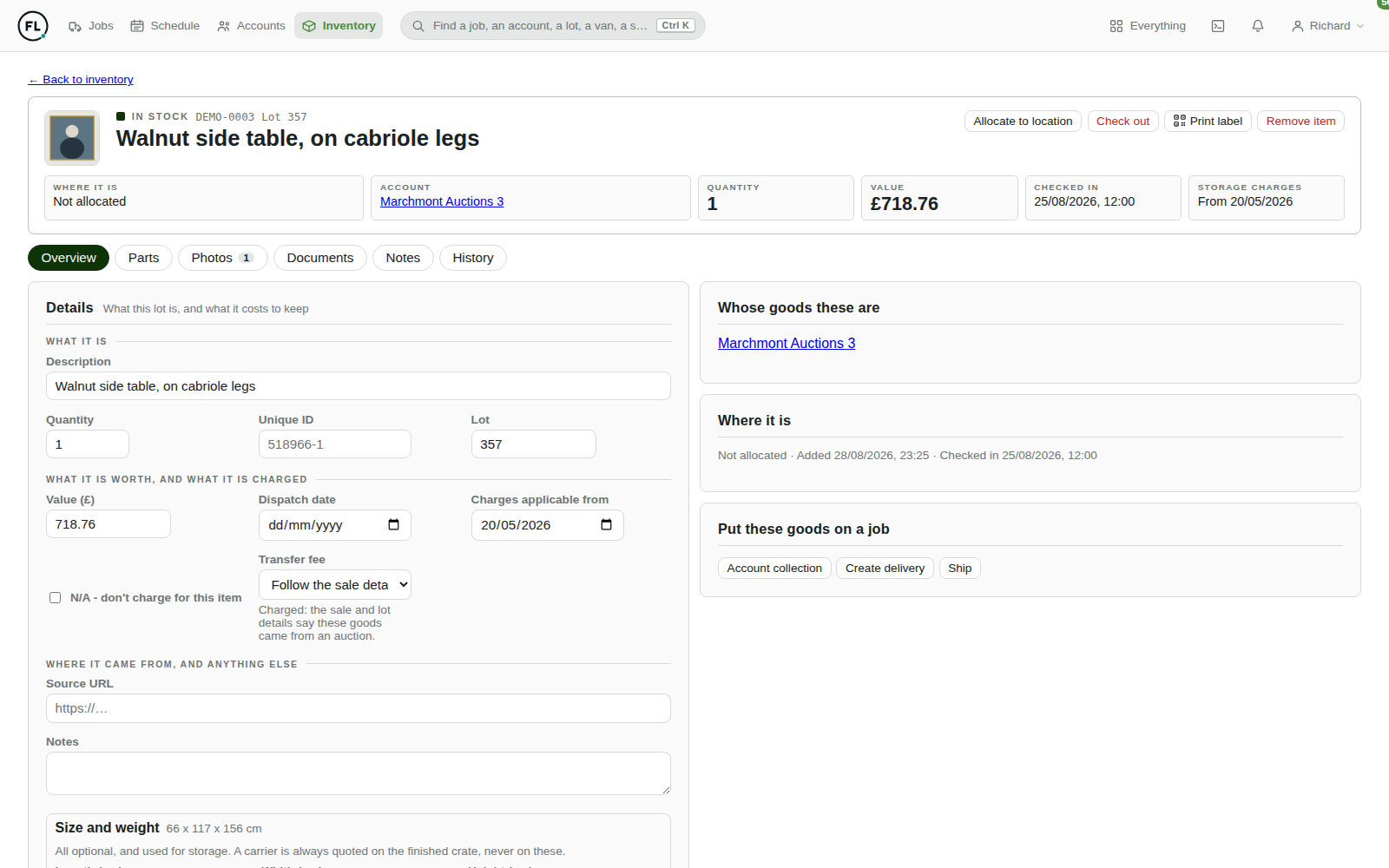
Draw your building as it really is: racking, bays, levels, zones and crate stacks. Every space you draw becomes somewhere goods can be put away, scanned and found again.
Put away with a scan
Every item and every space carries its own printable QR code. Scan the goods, scan the shelf, and they are allocated. Nothing typed, nothing guessed.
See the shelf, not just the count
Spaces hold their own photographs, kept current because moving goods prompts for a new one. The office can look at what is actually there.
Know what you can still sell
Colour tells you what is full, what has room and what nobody has checked. Space that is let, or unknown, is never counted as free.
Storage that bills itself
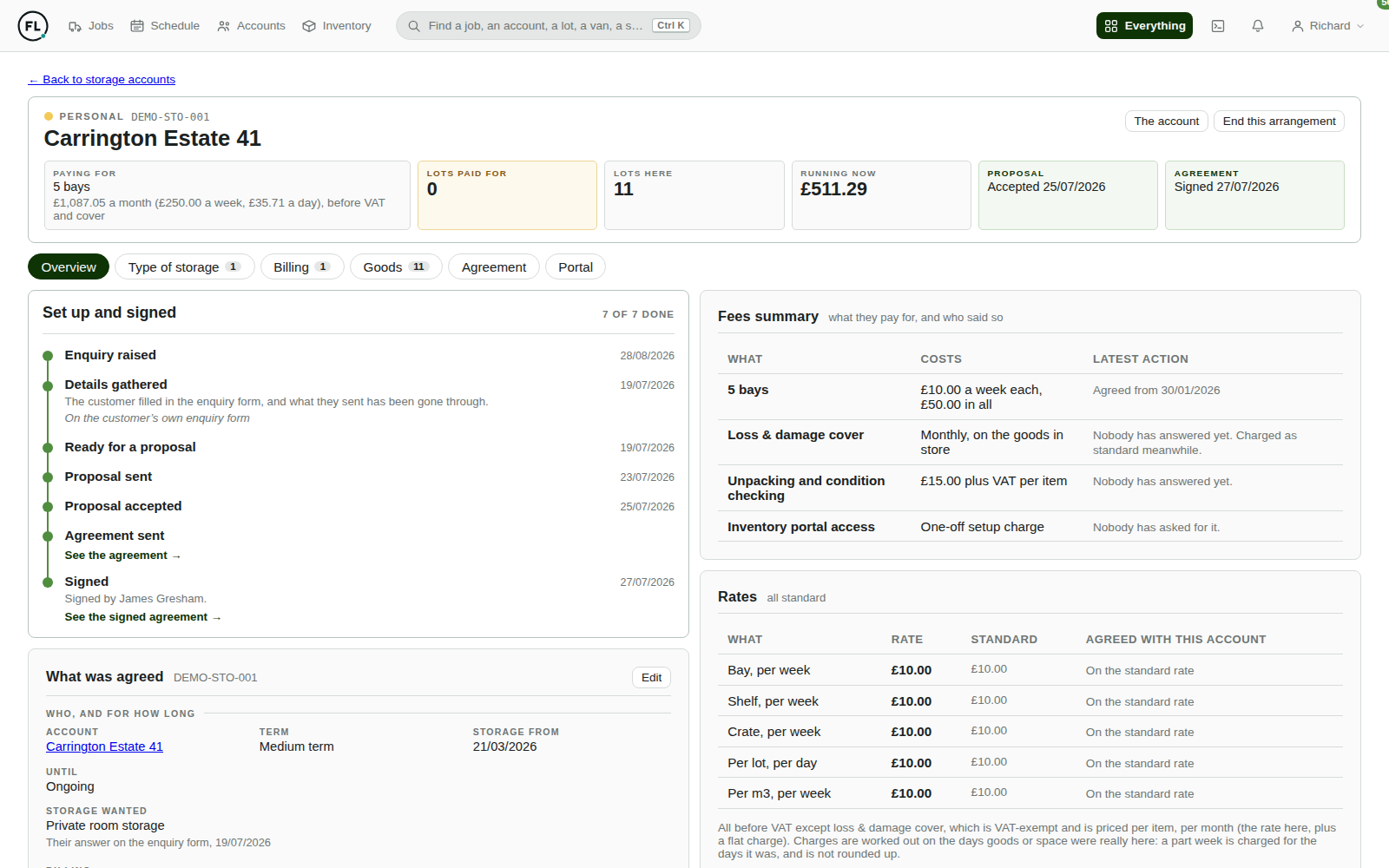
Charge by the lot, the shelf, the rack, the crate or by volume. Goods that arrive or leave part way through a month are charged for the days they were actually there, and the agreement is produced, signed and filed from the same record.
- A live view of the bill, month to date and where it is heading.
- Agreements produced and e-signed from the arrangement itself.
- Every item linked to its owner, its photographs and its paperwork.
Your customers
Give customers visibility without giving them a login to your back office.
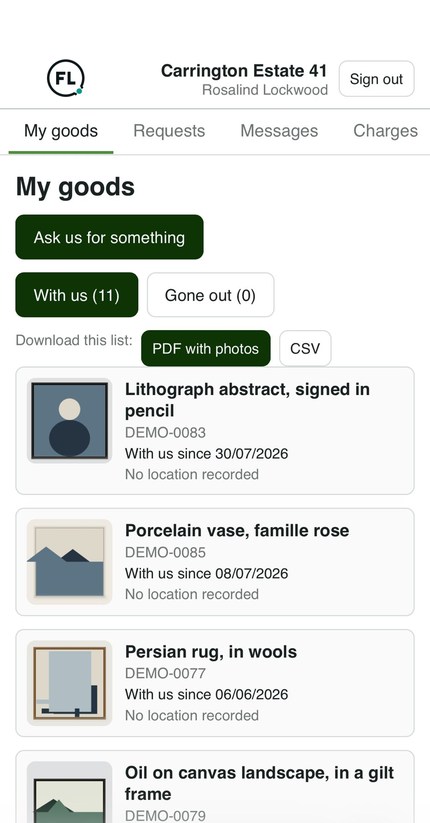
Storage clients get their own way in: their goods, their documents, and a direct line to your office. They see what is theirs and nothing else.
- No password to lose: signing in is a six digit code to the address you already hold.
- Their goods, with the photographs taken when the items came in.
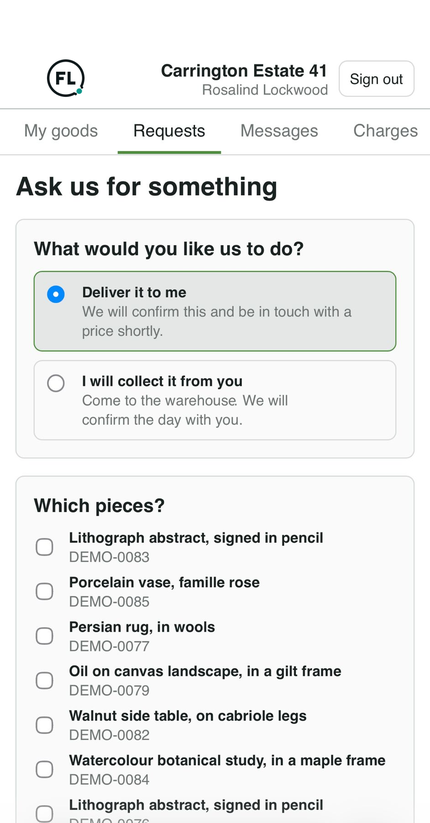
- Ask for a delivery or a collection, which arrives with you as a real job ready to price.
- Message your office directly, with files going both ways.
- Your figures stay yours. Values, costs and provenance are never shown.
On the road
Your crews work from the same system, not a group chat.
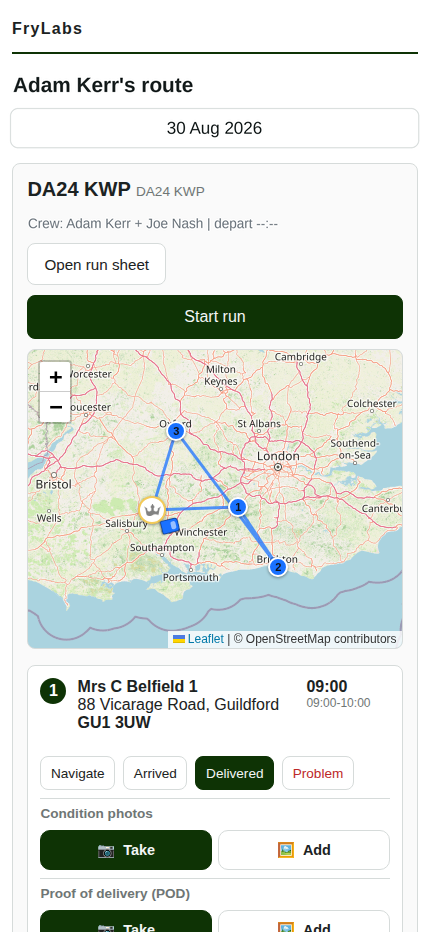
The day's run is on the phone in the van. Times update as the day moves, and what happens on site comes straight back to the office.
- Arrival windows that keep up, recalculated after every stop, with the customer told if theirs has moved.
- One tap to navigate to the stop in hand.
- Proof where it belongs: condition photographs and proof of delivery land on the job, not in someone's camera roll.
- Know how long jobs really take, because arrival is recorded rather than estimated.
Beyond the jobs
The rest of the operation, in the same place.
The vehicles, the equipment and the things that go wrong are recorded alongside the work, so nothing lives in a separate spreadsheet.
Fleet
Every vehicle with its costs and its history. MOT, service, insurance and inspection dates watched together, filled in from the DVSA's own records, and a vehicle booked off the road drops out of scheduling on its own.
Assets and materials
What you own, what it cost and where it is. Book equipment out to a job, watch packing stock run down, and have what a job consumed appear on its bill.
Incidents and suppliers
What went wrong, what it cost and what came back. Supplier records with their history, so you can see who is worth using again.
Visibility
Know what is happening across the business.
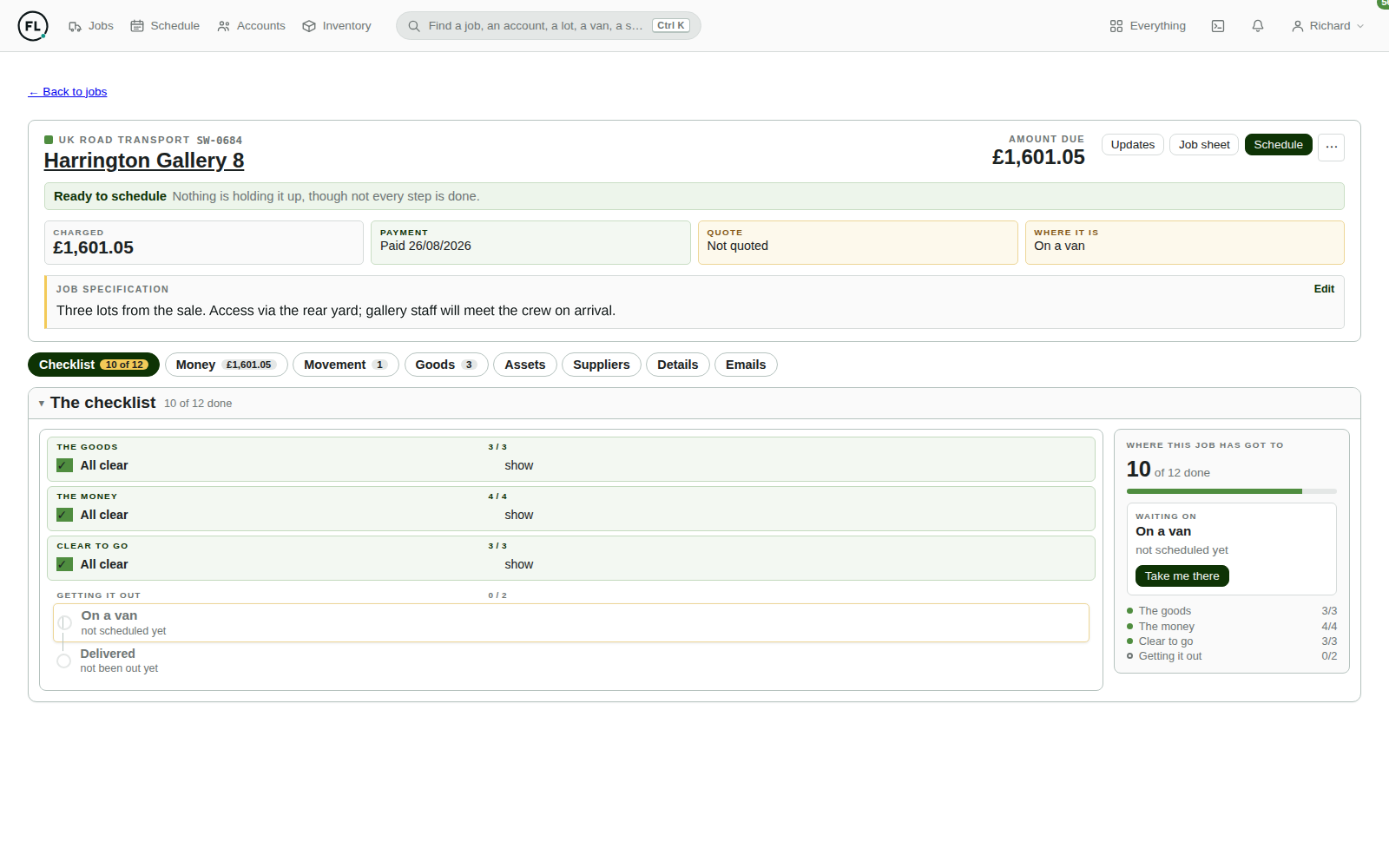
Because the work, the vehicles and the money are in the same system, the numbers come out of the operation rather than being assembled at month end.
- What a day, a van or a month earned, against what it cost to do.
- Profit at job level, with every line of the bill costed rather than a single margin.
- Warehouse occupancy, and what is genuinely still available to sell.
- What is owed, in one list, with nothing chased that has already been paid.
Connected
One operational system, not seven that need reconciling.
Each part reads from the same record, which is why a change in one place does not need re-entering in another.
- Customers
- Quotes & jobs
- Scheduling
- Fleet & crews
- Warehouse
- Customer portal
- Billing
It also talks to the tools you already use: Xero for invoicing and payment, Microsoft 365 for email, DHL and FedEx for shipping, DocuSign for signing storage agreements, BrightHR for time off and clocked hours, your vehicle trackers for live positions, the DVSA for vehicle records, and Google for addresses and traffic.
About
Built with an operator, not at one.
This is not a generic field service tool with removals bolted on. It was built alongside a working fine art and antiques logistics business, screen by screen, against the way the work is really done.
That is why the warehouse is drawn rather than listed, why a collection and a delivery can be one job, and why storage is charged for the days the goods were actually there. Those details came from the yard, not from a feature list.
- Shaped to your operation, with your own rates, terms and fees as settings rather than code changes.
- Your data brought across from whatever you are running on now.
- Changes raised inside the system, tracked from idea to release.
See what your operation could look like with everything connected.
Tell us how your business runs today and we will tell you, plainly, which parts of this would fit it and which would not.